Link Unit Below Tabs

Spacing

Showing posts with label Hacks. Show all posts

Limited Edition Unit Factory Hack


[June 4, 2012 - Several sources claim that this hack has been patched.]

The Survival Mode Hack, as we knew it, was patched on May 3, 2012.  Since then, a couple of working, alternative hacks have been spreading.  One of them uses the Limited Edition Unit Factory (LEF).

The LEF Hack can be done using Charles or Cheat Engine.  The hack is very simple to execute using Cheat Engine, and this article will explain this approach.  I assume you know how to use Cheat Engine well, and will not go into as much detail as I did in previous articles.


Flagged Accounts


No matter what hack you may attempt, there is an issue you need to keep in mind.  As many of you know, Zynga took away Tier 8 units from many players who did not purchase them.  Zynga has also been flagging accounts for abuse of Tier 8 units.

The set of players who have been flagged is probably almost the same as the set of players who lost Tier 8 units.  Players who were flagged might not be able to use hacks of any kind to produce Tier 8 units (there may be exceptions for technical reasons).

So if you can't seem to make Tier 8 units using this hack or any other hack, either you did something wrong or your account is flagged.  In the latter case, be happy with hacking other units (like Super units) or try making Tier 8 units in a virgin account.


Steps to LEF Hack


Step 1 - Preparation

Have a Limited Edition Unit Factory built.

Have all the parts collected for one of the units.

As an example, I will convert a Hind (U113) to a Venom (UB52).  Look up the codes for other LEF units here:

Codes: Limited Edition Factory Units


Step 2 - Set Up

Open up the Limited Edition Unit Factory.

Open Cheat Engine and attach the process belonging to the browser your Empires & Allies game is running on.


Step 3 - Convert

Scan for text "U113" including quotes.  Replace with text "UB52" including quotes.

Press the button in the game to build the unit.  Place it into a depot.

Refresh the game to see your new unit in the depot.


Zynga Poker Hacker Gets Two Years In Jail


Read this recent article about someone in the U.K. who was caught hacking Zynga:

A 29-year-old former UK council accounts clerk was just sentenced to two years in prison, plus a 30-week suspended sentence. His crime? Impersonating two employees, Ashley Mitchell repeatedly hacked into Zynga’s database and transferred more than $12 million worth of in-game currency to his own accounts. He then went on the Zynga black market–that’s right, it exists–and sold some of the 400 billion virtual gaming chips he stole....


Super Ore Mine Hack


The Super Ore Mine Hack has been known for a while by many people--probably from the day the Super Ore Mine came out.  It's not hard to figure out if you know how to interpret the game's client/server communication using a proxy like Charles.

The Super Ore Mine allows you to build the four ores that are not your "natural" one.  For instance, if you can naturally build copper, then the other four ores would be aluminum, uranium, iron, and gold. The order of these four ores are used in the game for certain things like quest requirements, military contract costs, and the Super Ore Mine.

The Super Ore Mine Hack modifies the amount of resources that Super Ore Mine contracts give out by changing the multipliers.  It's also possible to get ores that you haven't unlocked for the Super Ore Mine in the game yet, as well as oil, wood, and coins!  (I don't think many people know about the coins part.)


Survival Mode Hack Using Charles Proxy


[PATCHED May 3, 2012]

The Depot Hack was patched on April 12, 2012.  Soon after, I published the article "Survival Mode Hack Using Cheat Engine".  In response, I received many comments (most of which I did not publish) that would have been unnecessary if the person making the comment had read the article carefully all the way through.  Don't make the same mistake with this article.

This article will explain essentially the same hack but using Charles Proxy instead of Cheat Engine.  You should take advantage of this hack and make as many items as you want before the hack is patched!


Survival Mode Hack Using Cheat Engine


[PATCHED May 3, 2012]

The Depot Hack was patched on April 12, 2012.  Here is another hack to take its place.  Better take advantage of it before it's patched as well!

The Survival Mode Hack has been around for a while, but was never as well-known as the Depot Hack.  However, it has been spreading very quickly in the last week, and even more now since the Depot Hack has been patched.


Depot Hack using Cheat Engine


[UPDATE, April 12, 2012: This hack appears to be patched now.  Try the new Survival Mode Hack.]

This is the most popular E&A hack.  I'm sure Zynga has known how it works for a long time, which is why I don't hesitate in publishing it.  Why they haven't fixed it for so long is another story I'll get into some other day.

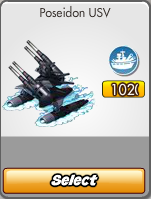
It's the reason you see Chimera and Cerberus units lining the streets everywhere.  It's the reason Poseidon USV and Kraken clones litter the seas of so many empires.  It's the reason the honest and the ignorant fear to enter World Domination (or are too disgusted to do so).

This is the answer for all those people who keep asking what codes are for.

This is the Depot Hack!

The essence of the hack is to transform a military unit into some other item in the game.  It's most common for this other item to be a more powerful military unit, especially one of the Tier 8 units.  However, that's not the only possibility.   Units can also be transformed into buildings, decorations, trees, and other items.

There are many variations to this hack.  I will present just one basic approach using Cheat Engine.  There will be an article in the future on how to do a similar hack using Charles Proxy.


Item Codes

First, you need to understand that every item in the game has an item code that uniquely identifies it.  This item code consists of 3 or 4 letters or numbers.  All the letters come before the numbers.

For instance:
  • Cadet Soldiers - U01
  • Tactical ATV - SU03
  • Support Craft - US15
  • Starfire - SU05

A restriction with the Cheat Engine approach is that you can only transform units with codes of length 3 into items that also have codes of length 3.  Similarly, you can only transform units with codes of length 4 into items with codes of length 4.  Most high-level units have codes of length 4, so to get these units, you need to start with units that also have codes of length 4.


Depots

As a prerequisite for this hack, you must own at least one depot with enough free space to hold your newly created units (or just one free space if you don't mind moving things out as needed).  For convenience, you should own all three types of depots: Army Depots, Naval Depots, and Air Depots.

A drawback of this is that you won't be able to easily put newly created units that are queued in military buildings directly into your inventory.  If you want to do that, you can sell the units to a trusted neighbor and buy them back.


Military Production Buildings

You need a source of units for the hack to transform.  It's most convenient to use units that are cheap and quick to build.  For the Cheat Engine approach, it is convenient to use the following buildings to produce the following units as a source for the hack:

  • Barracks I - Cadet Soldiers (U01) -- use only to get items with codes of length 3
  • Experimental Barracks - Tactical ATV (SU03)
  • Experimental Shipyard - Support Craft (US15)
  • Experimental Hangar - Starfire (SU05)


Step 1 - Preparation

As an example, I will demonstrate how to create a Poseidon USV from a Support Craft.  You should have at least one Experimental Shipyard and at least one Naval Depot.

Build a Support Craft in a Naval Depot.  Do this for as many depots as you want units to transform.  Wait until the units are built.  DO NOT click on the Experimental Shipyards yet.


Step 2 - Set Up Cheat Engine


Set up Cheat Engine by using the button in the upper left to select the process belonging to your browser.  For most browsers, you select the process that has a similar name to the browser's name.  Firefox is an exception.  For Firefox, select the process that contains the phrase "plugin-container".  In the image below, you can see that I selected the process "00001DF4-plugin-container.exe".


Step 3 - Transform Code

Next, change the "Value Type" to "Text".  In the "Text" field, enter "US15" (this is the code for a Support Craft) WITH quotation marks.  Hit "New Scan" then "First Scan".  The results will show up in the box on the left side.

Highlight all the results (select the first one, hold down shift, then either press the "End" key or keep hitting "Page Down").  Hit the red arrow button to move the results to the bottom box.  Highlight all the results in the bottom box (select one of the entries by left-click and then hit Ctrl-A).  Hit the Enter key.  In the pop-up, enter "US91" (this is the code for a Poseidon USV) WITH quotation marks.

Note: Whenever I do this particular search, I usually get exactly one result, which makes things a bit easier.  You may or may not get just one result like I do.  Using quotation marks in the search narrows down the results a lot.

This is what Cheat Engine looks like after you've done all this:


Step 4 - Transform Unit

Click on one of the Experimental Shipyards.  Click on one of your Naval Depots.  You might see a brief message pop up.  It might say "+1 Support Craft" or "+1 Poseidon USV".  You might not see any message at all.

If you check inside your Naval Depot, you might see one of two images:


If you see the Poseidon USV image, you're good to go!  It's recommended and tactful to keep such units inside your depots.

If you see the Support Craft image with "102" Strength, you may have to refresh your game to see it transformed into a Poseidon USV.

If you see a Support Craft image with its regular Strength of 85, then you probably did something wrong (unless this is a working variation I haven't seen before).

Repeat this step with all the other Support Crafts you've built that you want to transform.

DO NOT try to build more Support Crafts immediately, as that will force your game to refresh.


Step 5 - Refresh or Transform Code Back

If you want, you can refresh your game to reset everything except the units you've just transformed.  If you want to stay in your game and build more Support Crafts immediately, you can just go back to Cheat Engine and change the "US91" back to "US15".  Do this before transforming other types of units.


Other Considerations

Generally, players transform Support Crafts into other naval units, Tactical ATV's into other land units, and Starfire's into other air units.  You don't really have to do this.  For instance, you can transform a Support Craft into a naval, land, or air unit, but you do have to place it into a naval depot.

In fact, you can transform into non-military units as well!  This is a great way of getting decors that cost Empire Points (e.g., Recycling Centers) or that are currently unavailable (Dragon Statues, Orange Trees, etc.).  It is also a good way to bypass the outrageous scaling costs of resource buildings such as Oil Well III's, Lumber Mill III's, and Ore Mine III's.  If you build decors or resource buildings and want to place them, just click on them within their depot and place them.

Keep in mind, however, that many decors and building have codes of length 3.  For these, you will have to produce units that have codes with length 3.  The most convenient units to use are Cadet Soldiers (U01).

One way to get many Coins is to use the Depot Hack to create Engineering Offices (BC02).  Once an Engineering Office is in your Depot, place it somewhere in your empire and then sell it.  Each one you sell gives you 150,000 Coins.

This method, as it is, does not work for consumable items such as Power-ups and Energy packs.  You can do the transformation and place them into your depots.  The problem is that they get stuck there.  As far as I know, you cannot move them to your inventory or even use them.

Check my other pages, especially the tabs near the top, for codes.


How to Sell Unsellable Objects #2


In my earlier article "How to Sell Unsellable Objects", I showed how to get rid of unsellable objects like The Heavenly Ruler's Palace using Charles.  Here's another way to do it using Cheat Engine.

Warning: This hack uses Cheat Engine to modify memory locations used by your browser.  This method is dangerous and potentially could cause damage to your browser or your E&A game.  Use at your own risk.  (Charles is the safer approach.)


Step 1 - Set up object

Enter your game.  Select the move option.  Click on the object that you want to delete.  DO NOT place the object yet.


Step 2 - Set up Cheat Engine

Open Cheat Engine.  Use the button in the upper left to select the process belonging to your browser.  I used Opera, so you can see I selected the process "000032D4-opera.exe" in the image below.


Step 3 - Change "move" to "sell"

Next, change the "Value Type" to "Text".  In the "Text" field, enter "move" without quotation marks.  Hit "New Scan" then "First Scan".  The results will show up in the box on the left side.

Highlight all the results (select the first one, hold down shift, then either press the "End" key or keep hitting "Page Down").  Hit the red arrow button to move the results to the bottom box.  Highlight all the results in the bottom box (select one of the entries by left-click and then hit Ctrl-A).  Hit the Enter key.  In the pop-up, enter "sell" without quotation marks.

This is what Cheat Engine looks like after you've done all this:


Step 4 - Place object

Go back to your E&A game.  Place the object that you had selected earlier.  Wait at least a few seconds--longer if you have a bad or slow internet connection.  Refresh the game.  The object should now be gone.


Reference

Unsellable buildings and other objects include:
  • Parliament
  • World Embassy
  • Famine Relief Farm
  • War Room
  • Titan Lab
  • Strike Teams HQ
  • Defense Towers
  • Treasure Vault
  • Heavenly Ruler's Palace
  • Super Ore Mine
  • Energy Cradle
  • Surveillance Tower
  • Alcatraz (not the same as Prison Island)
  • Missile Launch Station
  • Element Z Rig given to you by Zynga (the ones you build are sellable)
  • Trees, shrubs, rocks
  • Depots that cannot be sold because they contain invalid items


Expansion Hack #2


Earlier, I presented an expansion hack using Charles and/or Cheat Engine.  It was possible to do that hack using only Cheat Engine, but you had to refresh the game after each expansion.  There's a way to modify the method slightly to avoid refreshing (but it's still not as nice as using Charles).  This modified method will be of interest to those of you who are familiar with Cheat Engine but not Charles.

Suppose your expansion build icon looks like the one at the top of this article.  


Step 1 - Set Up Cheat Engine

First, set up Cheat Engine by using the button in the upper left to select the process belonging to your browser.  I used Opera, so you can see I selected the process "000000D4-opera.exe" in the image below.


Step 2 - Set Required Liberty Bonds to Zero

Next, change the "Value Type" to "Text".  In the "Text" field, enter "xk01" (this is the code for Liberty Bonds).  DO NOT enter quotation marks for this method.  Hit "New Scan" then "First Scan".  The results will show up in the box on the left side.

Highlight all the results (select the first one, hold down shift, then either press the "End" key or keep hitting "Page Down").  Hit the red arrow button to move the results to the bottom box.  Highlight all the results in the bottom box (select one of the entries by left-click and then hit Ctrl-A).  Hit the Enter key.  In the pop-up, enter "xk0100000" (5 zeros at the end) without quotation marks.

This is what Cheat Engine looks like after you've done all this:


In the game, if you select "Build" and look in the "Expansion" tab, you'll see something like this:


The required number of Liberty Bonds has been set to 0.


Step 3 - Change "x01"

This is the key step that makes the whole expansion hack work.  The code for a regular expansion (i.e., non-crewed, non-EP-paid-for) is "x01".  The trick is to change it to "x10".  I hope you know how to do this at this point, but I'll give you the details anyway.  

Clear the results in the bottom box of Cheat Engine by hitting the button with the red circle with a line through it.  Hit "New Scan".  In the "Text" field, enter "x01" without quotation marks.  Hit "New Scan" and then hit "First Scan".  The results will show up in the box on the left side.

Highlight all the results.  Hit the red arrow button to move the results to the bottom box.  Highlight all the results in the bottom box.  Hit the Enter key.  In the pop-up, enter "x10" without quotation marks.

This is what Cheat Engine looks like after you've done all this:


This step is also the reason why when you refresh the game, your Coins and Liberty Bonds are restored to their original amount.  


Step 4 - Set Required Coins to Zero (Optional)

If you have enough Coins to do as many expansions as you want without refreshing, you can skip this step.  Otherwise, I'm assuming you don't have enough Coins to do many expansions at once.  This step is really for doing many expansions at once when you don't have enough Coins and don't want to refresh your game too many times.

In my other article on the expansion hack, I explained how to get many Coins using Charles.  It's possible to handle this a different way using Cheat Engine, but it's not as nice as using Charles because you have to repeat it for each expansion.

Clear the results in the bottom box of Cheat Engine by hitting the button with the red circle with a line through it.  Hit "New Scan".  In the "Text" field, enter the number of Coins required for the next expansion.  In my example, it's 71852.  Do not use quotation marks or commas.  Hit "New Scan" and then hit "First Scan".  The results will show up in the box on the left side.

Highlight all the results.  Hit the red arrow button to move the results to the bottom box.  Highlight all the results in the bottom box.  Hit the Enter key.  In the pop-up, enter "00000" or as many zeros as there are digits in the original number.  I used 5 zeros since 71852 has 5 digits.  Do not use commas or quotation marks.

This is what Cheat Engine looks like after you've done all this:


In the game, get out of the Build menu and select "Build" again to refresh it.  In the "Expansion" tab, you should see this:


The required number of Coins has been set to 0.

Step 5 - Build Expansion and Repeat

Now do the expansion!

When you look back in the Expansion tab of the Build menu, you should see something like this:


The required number of Liberty Bonds is still 0, but the required number of Coins has been reset.  No problem!  Repeat step 4 with the new number of required Coins.  You don't have to repeat steps 2 or 3 unless you refresh the game.

When you refresh your game, all the expansions you've done should still be there and your Coins and Liberty Bonds should be back to their original amounts.


Expansion Hack


From the 6 "expansions" you start out with in the game, you need another 190 expansions to fully expand.  If you check my Expansions table, you'll see that that requires 44,627,019 Coins and 37,560 Liberty Bonds, not counting crewed expansions.  If you accumulated about 100 Liberty Bonds per day, it would take about a year to get that many Liberty Bonds to fully expand.  It is a tedious, long-term endeavor, indeed.

Here's a trick to fully expand quickly.  I assume that you are familiar with Charles, the popular web debugging proxy application, or Cheat Engine.  The first approach I'll describe is just to get you to understand the idea.  You'll actually want to use the second approach to do many expansions at once without having to refresh the game.

If you are familiar with Cheat Engine but not Charles, do not be discouraged!  It's possible to just do the first approach using Cheat Engine alone--just ignore everything about Charles.

[March 29, 2012 note: I just wrote another article "Expansion Hack #2" that slightly modifies the Cheat Engine approach explained here.  The method in this other article avoids refreshing and sets the Coins requirement for expansion to 0.]


First Approach

The first approach can be done using either Charles or Cheat Engine.  Using Charles is the safer approach as it makes one small modification in one request, and doesn't modify the state of the game otherwise.  Using Cheat Engine is more dangerous but simpler.

Make sure you have enough Coins and Liberty Bonds to do an expansion first.


First Approach Using Cheat Engine

Scan for the text "x01" and replace it with the text "x10".  It works better if you INCLUDE the quotes in your search.  Once you do this, do not look at the Expansions tab of your inventory as that will freeze the game.


Now make an expansion.  The expansion's cost in Coins and Liberty Bonds will be deducted.  However, if you refresh the game, you will see that your Liberty Bonds and Coins are back to their original numbers but your new expansion is still there!

Repeat the process as desired.  Expansion costs are scaled, so you will need an ever increasing number of Coins and Liberty Bonds.  Another annoying part of this process is having to constantly refresh the game.  There's a way to avoid this using Charles--see "Second Approach".


First Approach Using Charles

Make sure breakpoints are set on the "flashservices" subfolder of "http://fb-client-zc.empire.zynga.com".  Now do an expansion.  Look for an AMF request with target "BaseService.dispatchBatch," one of whose objects has functionName "UserService.buyExpansion."  Look for code "x01" (this is the code for an Expansion) and change it to "x10".  Execute all requests.


If you refresh the game, you will see that your Liberty Bonds and Coins are back to their original numbers but your new expansion is still there!

Repeat the process as desired.  Expansion costs are scaled, so you will need an ever increasing number of Coins and Liberty Bonds.  Another annoying part of this process is having to constantly refresh the game.  There's a way to avoid this using Charles.


Second Approach

Here's how to do as many expansions as you like without having to refresh the game.  You will need to use both Charles and Cheat Engine.

Refresh the game and set breakpoints on in Charles.  Look for the AMF request that contains "userInfo".


Look under "world" for "resources" and then "coins."  Change the number of Coins to an amount sufficient to do all of your expansions, say 99999999 (99 million and a lot of change; there are eight 9's).  Try not to use commas as I don't know if the game server will accept them.


Now, look under "player" for "inventory" and then "items".  Search for "xk01" (Liberty Bonds).  Change the number for it to an amount sufficient to do all your expansions, say 40000.


Execute all requests and the game should load.  Now use Cheat Engine to change the text "x01" to "x10".  Once you do this, do not look at the Expansions tab of your inventory as that will freeze the game.  Now, start expanding!

You'll find that the most annoying and tedious part of this whole process is doing the actual expansions!


How to Sell Unsellable Objects


Do you regret placing one (or several) of those many buildings that Zynga offered you?  Even worse, some of them are unsellable.  Unsellable buildings and other objects include:
  • Parliament
  • World Embassy
  • Famine Relief Farm
  • War Room
  • Titan Lab
  • Strike Teams HQ
  • Defense Towers
  • Treasure Vault
  • Heavenly Ruler's Palace
  • Super Ore Mine
  • Energy Cradle
  • Surveillance Tower
  • Alcatraz
  • Missile Launch Station
  • Element Z Rig given to you by Zynga (the ones you build are sellable)
  • Trees, shrubs, rocks
  • Depots that cannot be sold because they contain invalid items

One way to get rid of them is to contact customer service and ask them to remove the offending item for you.  Now, you may not want to go to that trouble for whatever reason.  Here's another way to do it.

I assume that you are familiar with and know how to use a program called Charles, a popular web debugging proxy application.  We will use Charles to transform the unsellable object to a sellable one and then sell that object.  Technically, the title of this article isn't correct.

I assume you are using the free trial version of Charles, which has the "Find" feature disabled.  If you have the full version of Charles, you can shorten the process by using "Find" to search for the item you want to get rid of instead of looking for it through its item id.  You will need to know the itemName of the object you want to get rid of.  In this case, you can skip step 1 and move on to the middle of step 2, keeping in mind to use the "Find" feature.

(Yet another way to get rid of unsellable objects is to use a certain bot, which I won't discuss in this article.)

Step 1

The first step is to get the item id of the building you want to get rid of.  For example, let's say it's the Heavenly Ruler's Palace.

Have the game and Charles open.  Turn breakpoints on for the E&A game server address "http://fb-client-zc.empire.zynga.com" so that requests between the client and game server will be intercepted and halted by Charles.  This gives you a chance to look at or modify requests before they're passed through.

Now, move the Palace from one spot to another (or to the same spot).  Go to Charles and look for the AMF request that looks like the one in the following image.  It will be one of a batch of requests being sent from the client to the server, so the "move" request might not be the first Object ("[0]") in the array of arguments as it is in the image below.  Once you find this request, you can turn breakpoints off temporarily so that new requests don't refresh your screen.


The client sends this "move" request to the game server to tell it that an object in the game world is to be moved.  Notice the function being called is "WorldService.performAction" and the action parameter is "move."  The first object argument contains the object being moved.  Verify that the itemName is "Palace" and record the id for the next step.  Here, the id is 2705 but yours will likely be different.

There's no need to modify this request.

Step 2

Refresh the game and keep executing requests.  Right before you get the game load screen or just at the beginning of it, turn on breakpoints again if you had turned them off temporarily.

Look for the AMF request that looks like the one in the following image.  Once you find it, you can turn off breakpoints.  Here, the request is being sent from the server to the client, telling the client how to populate the game world.  The "objects" subtree contains all the objects in your game world.  There can be hundreds or even thousands of objects.


You want to look through this list for the Heavenly Ruler's Palace.  The numbers 0-3 that you see (and many more that you can't see) in the image above just number the objects in the array; they don't identify them.  You need to open up each numbered subtree to check what the object is.  These id's are not consecutive and don't correspond to the array indices.  For example, in the image below, the three consecutive id's 2440, 2705, and 2726 are ordered but not consecutive. 


(If you have the full version of Charles, you should have skipped to here and used the "Find" feature to search for "Palace".  To get rid of other objects, you need to know their itemNames.)

However, you can use the fact that the objects are ordered by id to look for the id you found in step one for the Heavenly Ruler's Palace.  Confirm that you found the correct id by verifying that it corresponds to the correct itemName.  Here, id 2705 correctly corresponds to itemName "Palace."


Step 3

What we want to do is change the unsellable Palace to some other building that is sellable.  You'll have to know the proper itemName of the object that you want to transform the Palace into.  One possiblity is an Oil Well III, whose itemName is "Oil Derrick 3".

Double-click on "Palace" and change it to "Oil Derrick 3".  This tells the game client to load an Oil Well III instead of a Heavenly Ruler's Palace.  Now execute all requests that were caught by Charles.  The game should now finish loading and you should see an Oil Well III where your Palace once was.  Sell it.  If you refresh your game, you should find that your Palace has permanently disappeared.